
Before You Begin
- You must be logged into the Facilipay Business Portal.
- A Facilipay plan must be selected before a payment method can be added to your account.
- Have your card details ready before you start.
Step-by-Step: Add a Card
-
Log In to the Business Portal
Sign in to the Facilipay Business Portal with your business credentials. -
Go to Billing
Click your profile icon in the top-right corner of the screen and select Billing.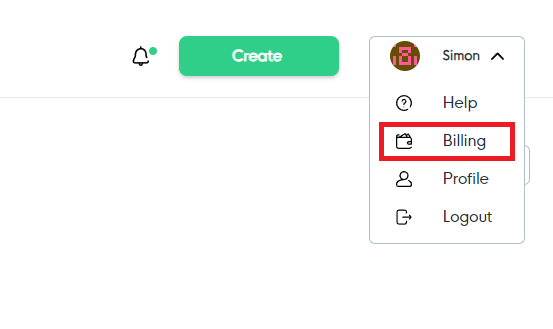
-
Add a Payment Method
Click Add Payment Method. A secure page will open where you can enter your card details. -
Verify the Card
Once submitted, a €0.01 verification charge will be made and immediately refunded to confirm the card is active. -
Confirm Activation
After verification, future invoices will automatically charge the card on the invoice date and the invoice will be marked as paid.
Alternative: Pay by Direct Debit
If you would prefer to pay invoices via Direct Debit instead of card, you can select the Direct Debit option within the Billing section.
Tips & Best Practices
-
Keep your card up to date: Replace expired or lost cards as soon as possible to avoid service disruption.
-
Use a business card where possible: Using a dedicated business card simplifies bookkeeping and reconciliation.
-
Need help? If your card is declined or you have a billing question, contact support@facilipay.io.