
Before You Begin
- You must be logged into the Facilipay Business Portal with admin access.
- Have the new opening hours and any dispatch method changes ready.
Step-by-Step: Update Branch Opening Times
-
Open Branch Settings
Log in to the Facilipay Business Portal and select My Business > Branches from the side navigation.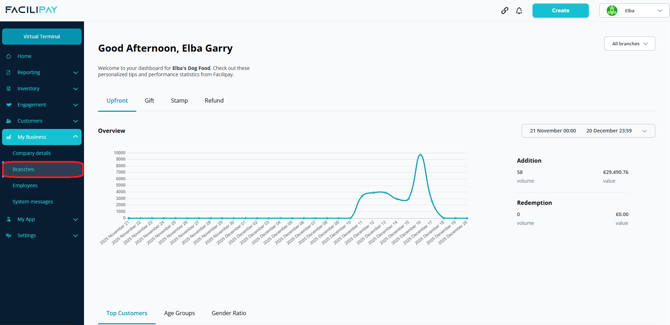
-
Select Your Branch
From the list of branches, click the branch you want to update. -
Edit Opening Hours
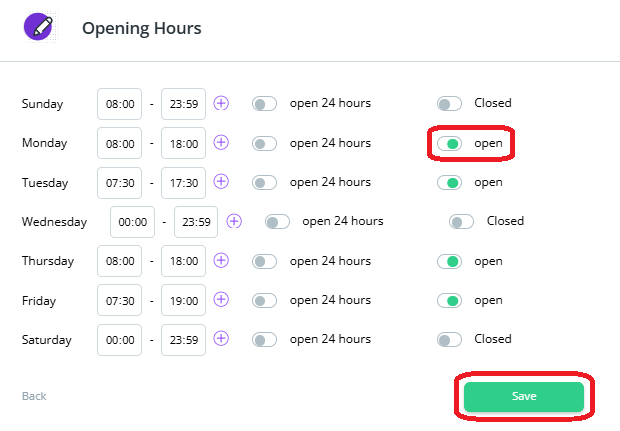
On the Location Details page, scroll down and click Edit. Ensure the Open box is ticked and the correct opening and closing times are set for each day.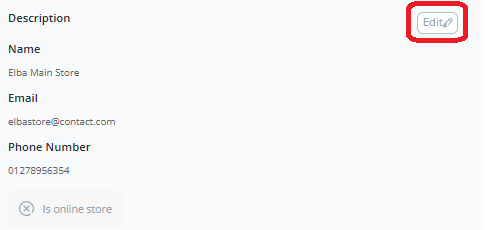
-
Open Ordering Settings
Choose Ordering Settings from the top menu, then click Edit to define prep times and choose dispatch methods.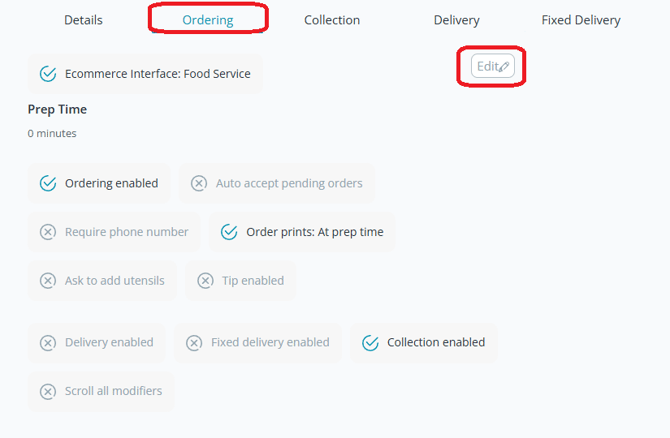
-
Enable Dispatch Methods
Select the dispatch methods you want to accept (e.g. collection, delivery) and ensure they are Enabled.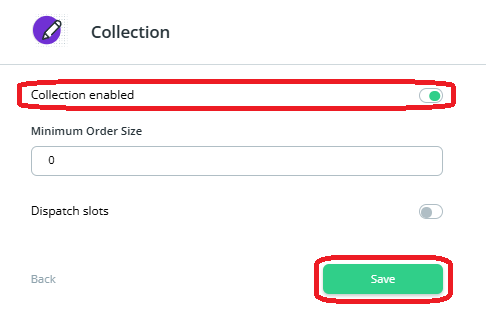
What Happens After You Save
Online ordering will only be available to customers during the configured opening hours, with the dispatch methods you've enabled.
Tips & Best Practices
-
Match your real hours: Avoid customer disappointment by keeping opening hours accurate and up to date.
-
Update for holidays: Adjust hours for bank holidays, seasonal changes, or temporary closures.
-
Need help? For configuration queries, contact support@facilipay.io.