
Before You Begin
- You must be logged into the Facilipay Business Portal with admin access.
- Have the new address details ready before you start.
Step-by-Step: Update a Branch Address
-
Log In to the Business Portal
Sign in to the Facilipay Business Portal with your business credentials. -
Go to My Business → Branches
Hover over My Business in the navigation bar and select Branches. A list of your business locations will appear. -
Open the Branch Settings
Click the three-dot menu beside the branch whose address you want to update.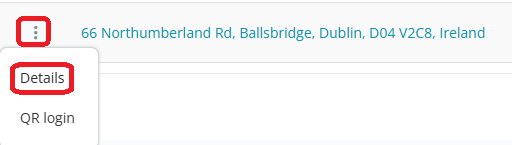
-
Edit the Address
In the branch settings page, click Edit next to the address field. -
Enter the New Address
Enter the new address in the search field. Suggested addresses will appear based on your input.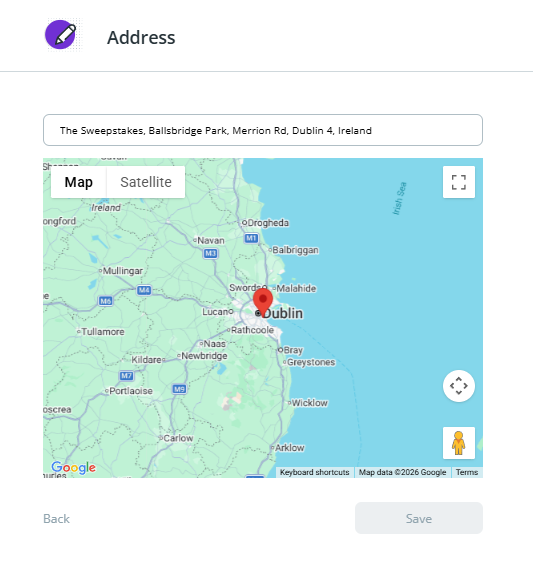
-
Save the Change
Select the correct address from the suggestions and click Save.
What Happens After You Save
Once saved, the updated address will appear in the customer app and any associated business listings, helping customers find the new location.
Tips & Best Practices
-
Use the suggestion list: Selecting from the address suggestions ensures the location is correctly geocoded for in-app maps.
-
Update branch hours too: If the new location has different opening hours, update those alongside the address.
-
Notify customers: Consider sharing the new address through your social channels or a campaign so existing customers can find you.