
Before You Begin
- You must be logged into the Facilipay Dashboard with admin access.
- Decide on the reward (percentage or credit amount) before configuring.
Step-by-Step: Set a Personal Reward
-
Open Customers
Log in to the Facilipay Dashboard, click Customers, then select Customers.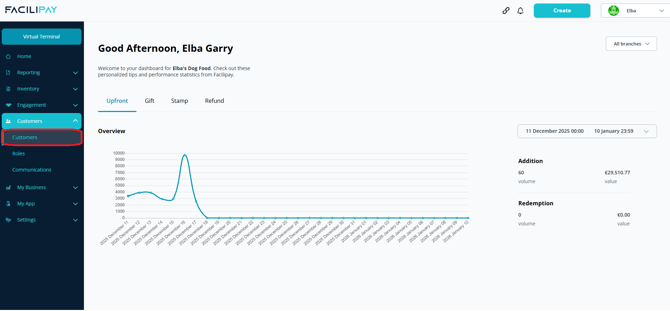
-
Find the Customer
Search for the customer using their Name or Customer ID. -
Edit the Customer
Click the three dots next to the customer, then select Edit.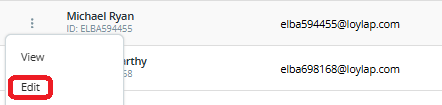
-
Add a Personal Reward
Click the Modifiers tab. In the Personal Reward field, enter the reward value — either a percentage or credit amount to be applied. -
Save Your Changes
Click Save.
What Happens After You Save
The customer now receives the assigned personal reward on their purchases. The reward applies in addition to any standard loyalty or campaign rewards they may already qualify for.
Tips & Best Practices
-
Document why: Keep a brief note of why specific customers received personal rewards for audit purposes.
-
Review periodically: Personal rewards stay in place until removed — review them regularly.
-
Need help? For setup queries, contact support@facilipay.io.