
Before You Begin
- You must be logged into the Facilipay Dashboard with admin access.
- The product must already be enabled for online ordering.
Step-by-Step: Restrict a Product by Dispatch Method
-
Open Product Settings
Log in to the Facilipay Dashboard, click Inventory, then select Products.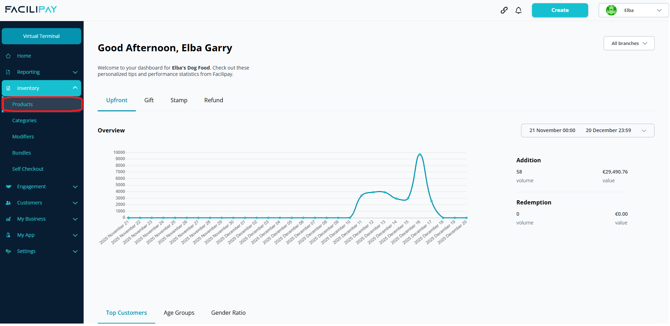
-
Select a Product
Find the product you want to update and click on it. -
Locate Menu Settings
Scroll to the Menu Settings section.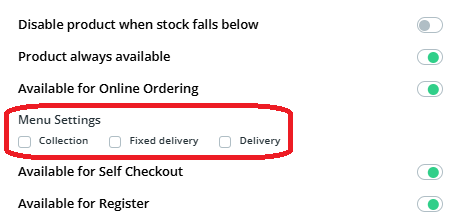
Note: If this section is not visible, the product may not be enabled for online ordering.
-
Set Dispatch Options
Choose how the product can be ordered:- Collection
- Delivery
- Fixed Delivery
Select the appropriate options.
-
Save Your Changes
Click Save.
What Happens After You Save
The product is now limited to the selected dispatch methods. Customers using other methods won't see the item in their menu.
Tips & Best Practices
-
Use for delivery-friendly items: Restrict items that don't travel well to Collection only.
-
Test the customer view: Switch between dispatch methods on your ordering page to confirm correct menus display.
-
Communicate with customers: If certain items are only available via one method, mention it in the description.