
Before You Begin
- You must be logged into the Facilipay Dashboard with admin access.
- Have your custom cancellation email content drafted before starting.
Step-by-Step: Update the Cancellation Email
-
Open System Messages
Log in to the Facilipay Dashboard, click Settings, then select System Messages.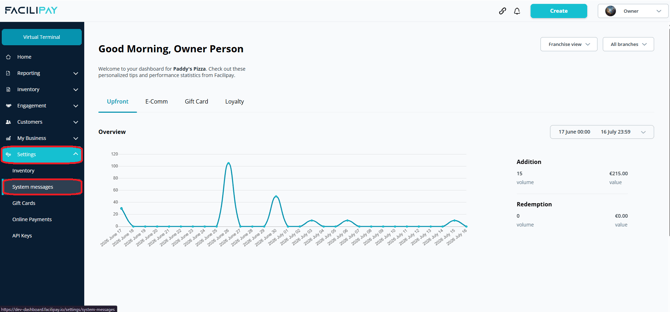
-
Edit Ordering Messages
Find Ordering Messages and click Edit. -
Configure the Cancellation Email
Select Ordering Cancellation, enable the custom template using the toggle, and enter your email content in the text box.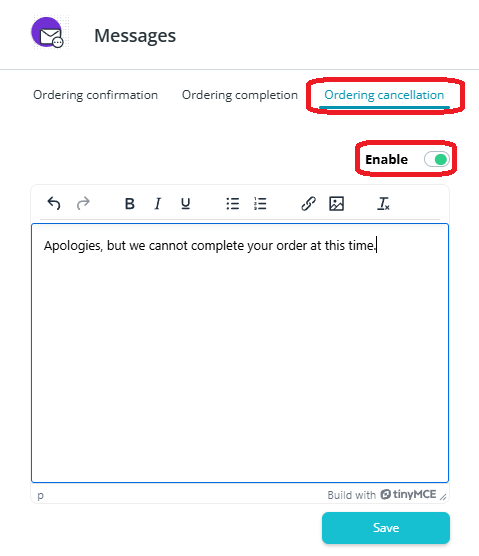
-
Save Your Changes
Click Save to apply the new template.
What Happens After You Save
Your custom email is sent to customers automatically when an order is cancelled.
Tips & Best Practices
-
Acknowledge the inconvenience: A short empathetic note goes a long way for an unexpected cancellation.
-
Set refund expectations: Mention how and when the customer will see their refund.
-
Offer a path to follow up: Include a contact email or phone number for further help.