
Before You Begin
- You must be logged into the Facilipay Dashboard with admin access.
- Have your custom email content drafted before starting.
Step-by-Step: Update the Confirmation Email
-
Open System Messages
Log in to the Facilipay Dashboard, click Settings, then select System Messages.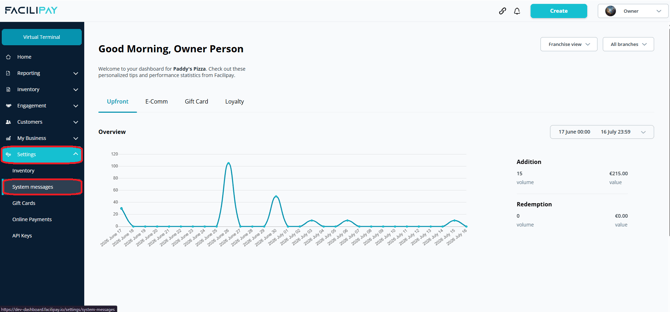
-
Edit Ordering Messages
Find Ordering Messages and click Edit. -
Configure the Confirmation Email
Open Ordering Confirmation, enable the custom template using the toggle, and enter your email content in the text box.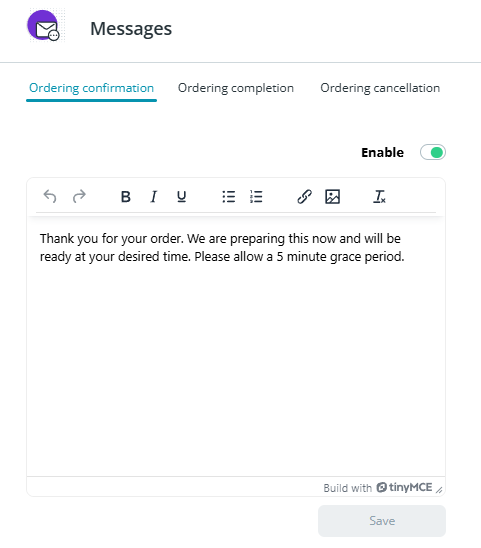
-
Save Your Changes
Click Save to apply the new template.
What Happens After You Save
Your custom email is sent to customers automatically when they place an online order.
Tips & Best Practices
-
Keep it useful: Use the email to provide collection or delivery details, opening hours, or contact information.
-
Stay on-brand: Use a tone of voice that matches your business.
-
Test it: Place a test order to confirm the new content displays correctly in the email.