
Before You Begin
- You must be logged into the Facilipay Business Portal with admin access.
- The branch must already be set up in the portal.
Step-by-Step: Enable Collection
-
Log In to the Business Portal
Sign in to the Facilipay Business Portal. -
Go to Branches
From the dashboard, navigate to My Business > Branches.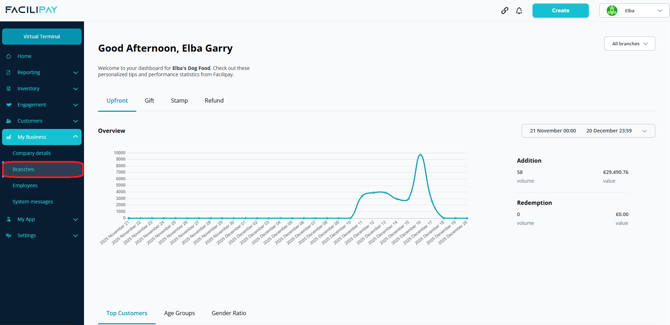
-
Open Branch Settings
Click the three-dot menu beside the branch you want to enable collection for. -
Open Ordering Settings
In the branch settings page, select Ordering.
-
Edit Collection Settings
Scroll down until you see Collection, click Edit.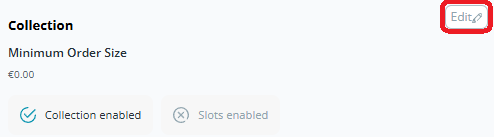
-
Enable Collection
Toggle Collection Enabled so the switch turns green. -
Save Your Changes
Click Save to apply.
What Happens After You Save
Customers can now choose collection (pick-up) as their dispatch method when placing orders online. Orders flow into your dashboard for fulfilment.
Tips & Best Practices
-
Set realistic prep times: Customers expect their order ready when they arrive — align prep time with actual capability.
-
Test the flow: Place a test collection order yourself to confirm the experience works end-to-end.
-
Need help? For setup queries, contact support@facilipay.io.