
Before You Begin
- You must be logged into the Facilipay Dashboard with admin access.
- Decide on your delivery radius, fee, and time before configuring.
Step-by-Step: Enable Delivery
-
Open Branch Settings
Log in to the Facilipay Dashboard, click My Business, then select Branches.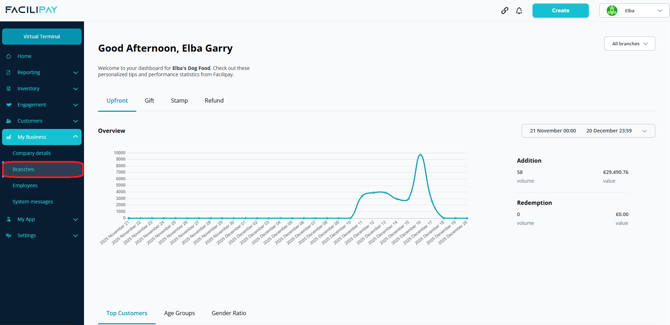
-
Select a Branch
Click the three dots next to the branch you want to edit. -
Open Ordering Settings
Click Ordering in the top menu.
-
Enable Delivery
Scroll down until you see Delivery, click Edit, then toggle Delivery Enabled on.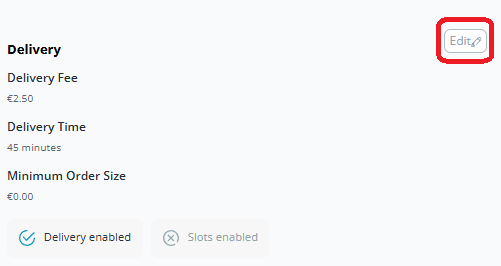
-
Configure Delivery Settings (Optional)
Set the following options as needed:- Delivery Time: Added on top of prep time. Example: 15 min prep + 45 min delivery = 1 hour total.
- Delivery Fee: Automatically applied to delivery orders.
- Maximum Delivery Radius: Limits how far you'll deliver.
-
Save Your Changes
Click Save.
What Happens After You Save
The branch is now enabled to accept delivery orders. Customers within your delivery radius can choose delivery at checkout.
Tips & Best Practices
-
Match delivery time to reality: Test typical delivery times in your area to set realistic expectations.
-
Plan staffing for peak hours: Make sure delivery capacity is in place before launching.
-
Need help? For setup queries, contact support@facilipay.io.