
Before You Begin
- You must be logged into the Facilipay Business Portal with access to gift card reporting.
- Decide on the reporting period you want to analyse before running the report.
Step-by-Step: Access the Liability Report
-
Log In to the Business Portal
Sign in to the Facilipay Business Portal with your business credentials. -
Go to Reports → Gift Cards
Hover over Reports in the navigation menu, then click Gift Cards.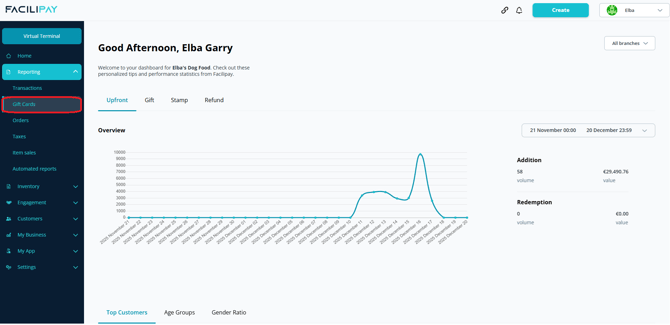
-
Review the Default View
The Gift Card reports page loads with an overview of activity for the current month, alongside lifetime statistics such as Outstanding Liability and Expired vouchers.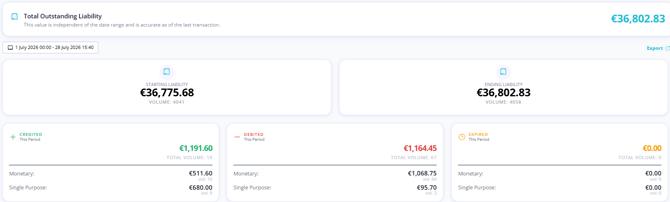
-
Adjust the Date Range
Use the date filter to view liabilities for a specific reporting period.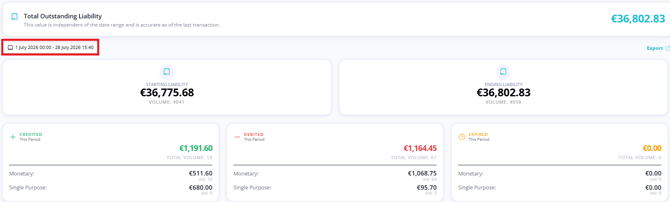
This report represents the total value of physical and digital gift cards currently in circulation for your business.
Additional Report Sections
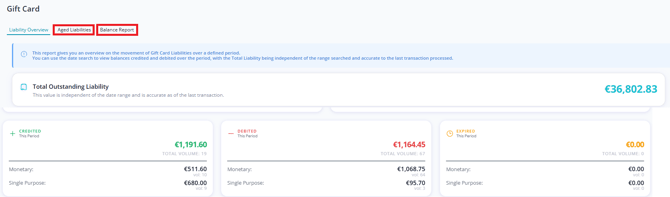
Within the Gift Cards reporting page you will also find:
-
Aged Liabilities— A table showing projections of card values and expiration times.
-
Balance Report— A breakdown of Monetary or Single Use vouchers, showing their activation date and current balance.
The Balance Report can be exported to Excel or CSV if you need a record for accounting or reconciliation.
Tips & Best Practices
-
Run the report monthly: Regular reporting helps maintain accurate liability figures and supports accounting reconciliation.
-
Compare against expected liability: Use the report to validate against your internal records of gift card sales and redemptions.
-
Need help? For questions on liability reporting or VAT treatment, contact support@facilipay.io.