
Step 1:
If you would like to enable or disable partial payments for your Pay@Table transactions, please contact the Facilipay Support Team at support@facilipay.io. Our team can update this setting for your account.
Step 2:
When a customer attempts to make a partial gift card payment, the payment will be declined and an on-screen message will be displayed.
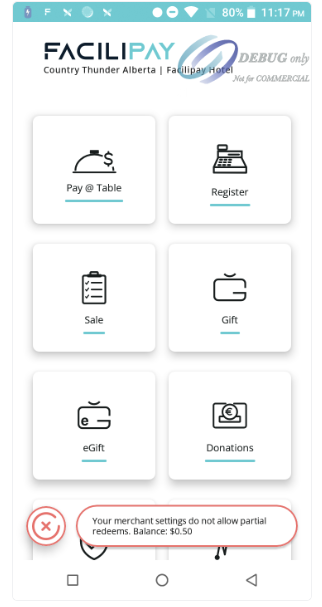
The message displayed is:
"Your merchant settings do not allow partial redeems. Balance: $0.50"
This informs the customer that partial gift card redeems are not permitted and displays the remaining gift card balance.
Step 3:
Ask the customer to either:
- Pay the full outstanding balance using their gift card (if sufficient funds are available), or
- Use another accepted payment method to complete the transaction.
When partial payments are disabled, Pay@Table will not allow gift cards to be redeemed for only part of the bill.
Disabling partial payments helps ensure transactions are completed in a single payment, reducing the need to manage multiple payment methods for the same Pay@Table check.