
Before You Begin
- Locate the guest's reservation.
- Pay Only is designed to accept "Sale" transactions only — it is not used for authorisation-based card types.
Step-by-Step: Process a Pay Only Payment
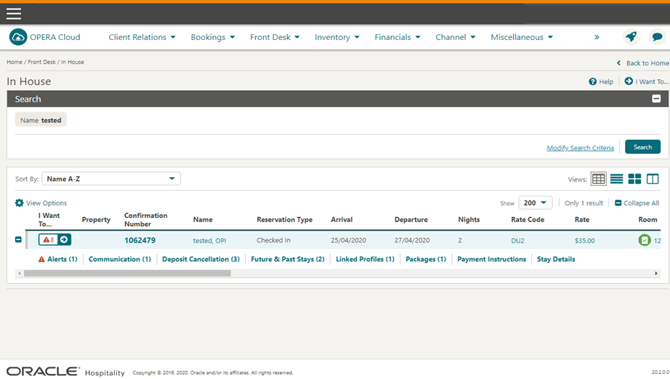
- Locate the Reservation Locate the guest and click I Want To.
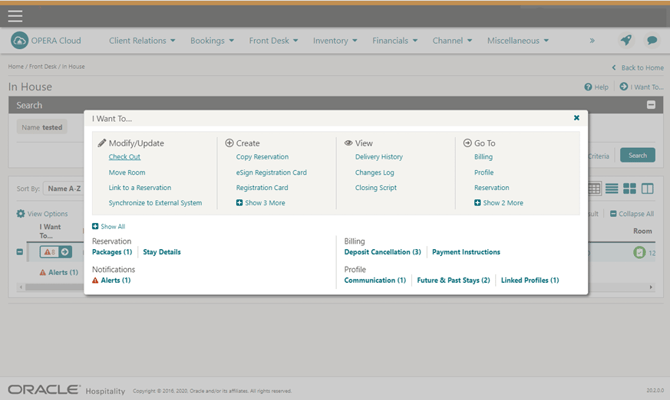
- Open Billing Select Billing.
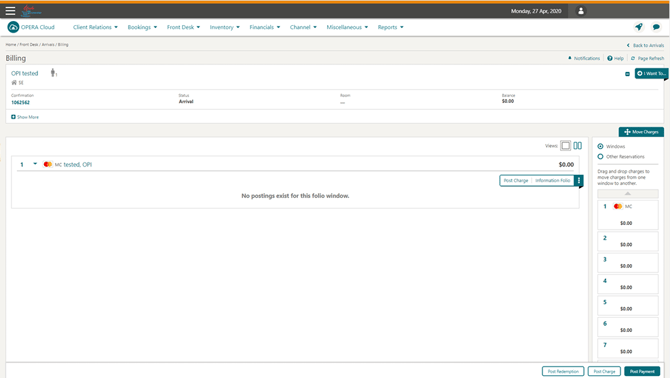
- Open Post Payment Click Post Payment.
- Select the Payment Type Select your Pay Only Payment Type (shown as PO – Pay Only, or a specific defined type).
- Trigger the Terminal Click Get Token and follow the prompts to enter the card into the terminal device.
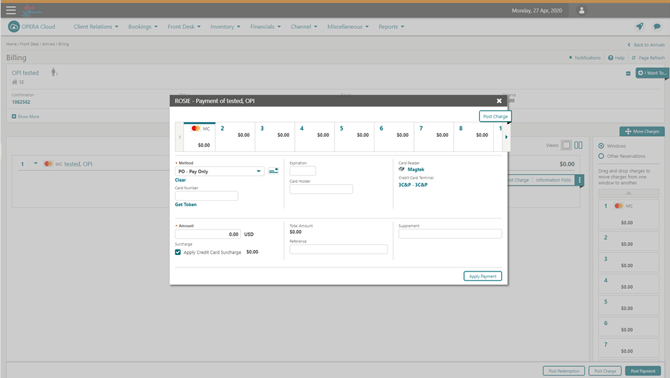
- Verify the Amount Verify the Amount to be settled.
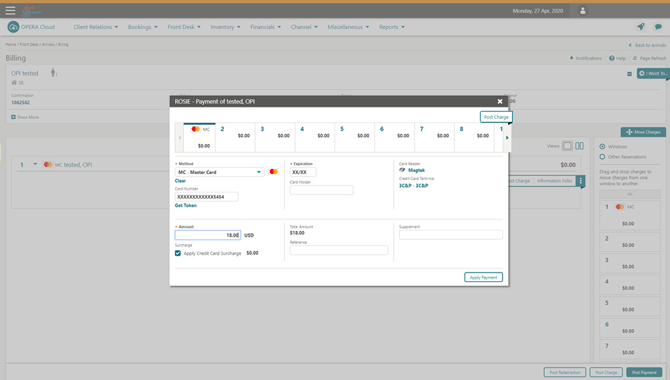
- Apply the Payment Click Apply Payment.
Tips & Best Practices
- Use for non-authorising card types: Debit cards, virtual credit cards, AliPay, and WeChat are common examples that should be set up as Pay Only rather than standard authorisation types.
- Surcharge may apply: If a credit card surcharge is enabled, it will be shown and automatically applied to the total amount.
- Need help? For Pay Only transaction issues, contact your Payment Service Provider.