
Before You Begin
- Balancing reports are a critical part of reconciling payments processed through OPI.
Step-by-Step: Run a Balancing Report
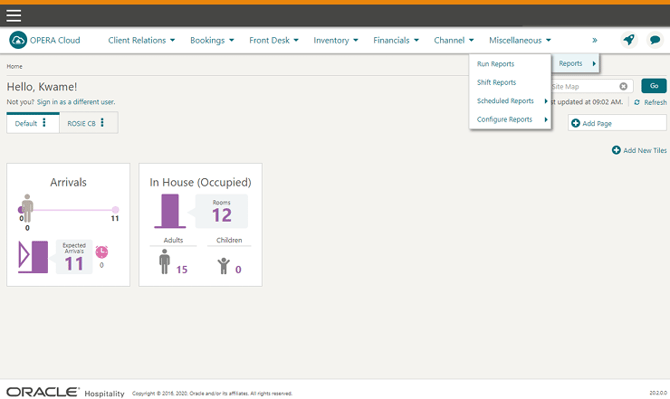
- Open Reports Select Reports from the toolbar on the main Opera Cloud page.
- Select Run Reports Select Run Reports.
- Search for the Report Fill in the specific Report Name and select the Report Group you want to view (for example, "Credit Card").
- Display the Report Click Search to display the matching reports.
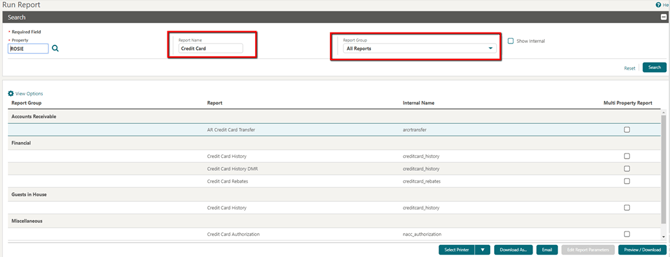
- Open or Export the Report Use the options at the bottom of the screen (Select Printer, Download As, Email, or Preview/Download) to view or distribute the report.
Tips & Best Practices
- Use the Report Group filter: Narrowing by group (e.g. Financial, Guests in House, Miscellaneous) makes it faster to find the exact credit card report you need.
- Reconcile regularly: Running balancing reports on a consistent schedule (e.g. daily) makes discrepancies easier to catch and resolve with your Payment Service Provider.
- Need help? For reconciliation or reporting issues, contact your Payment Service Provider.