
Before You Begin
- You must be logged into the Facilipay Dashboard with admin access.
- Have a plan for how many tiers you want and what rewards each will offer.
Step-by-Step: Enable Tiered Loyalty
-
Open Loyalty Settings
On the Facilipay Dashboard, go to Engagement > Loyalty and click Edit next to your current loyalty type.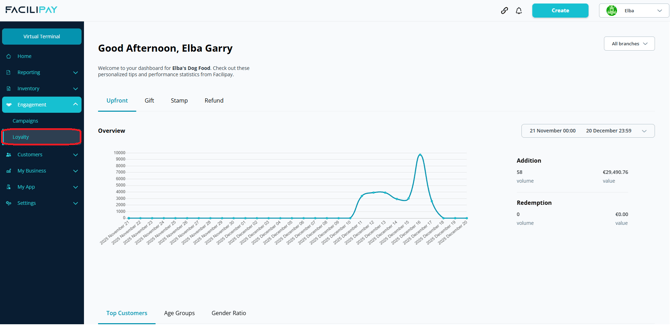
-
Set the Number of Tiers
Enter the number of tiers you want to enable.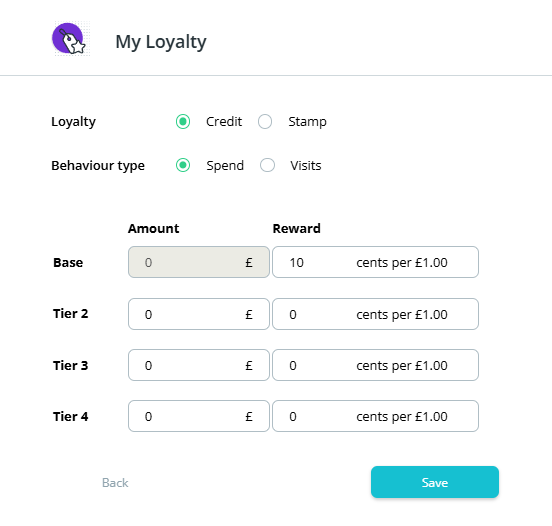
-
Save Your Changes
Click Save.
What Happens After You Save
Once enabled, customers start earning rewards based on the tiers you've set. Higher-engaging customers automatically progress through the tiers, unlocking bigger rewards.
Tips & Best Practices
-
Keep it simple: 2–3 tiers are usually plenty — too many tiers can confuse customers.
-
Reward progression visibly: Customers love seeing their progress toward the next tier.
-
Need help? For tiered loyalty queries, contact support@facilipay.io.