
How to Use the Include Gift Toggle
The Include Gift toggle allows you to choose whether gift card activity is included in your reports. When enabled, gift card transactions are displayed throughout the Summary, History, and printed reports. When disabled, only standard payment activity is shown.
Step 1:
From the home screen, tap Reporting to open the reporting section.
Step 2:
Open the report you would like to view. The Include Gift toggle is available at the top of both the Summary and History tabs, allowing you to quickly choose whether gift card activity is included in your reports.
Step 3:
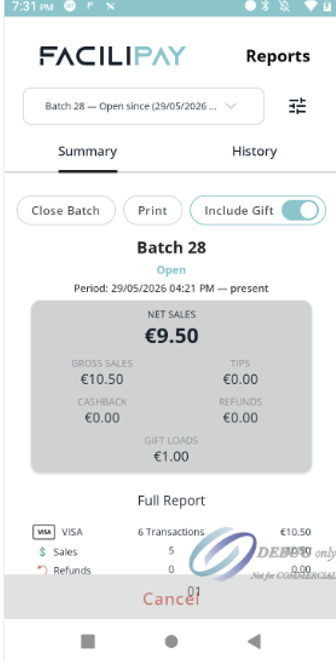
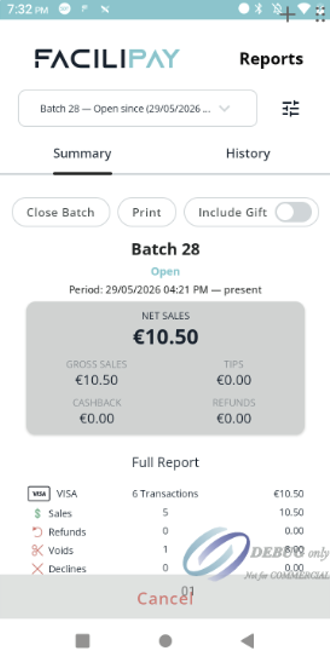
Use the Include Gift toggle to choose whether gift card activity is included in the report.
When Include Gift is disabled, gift card activity is excluded from the report.
When Include Gift is enabled, gift card activity is included in the report.
Notice that the toggle can be switched on or off at any time to change how report information is displayed.
Step 4:
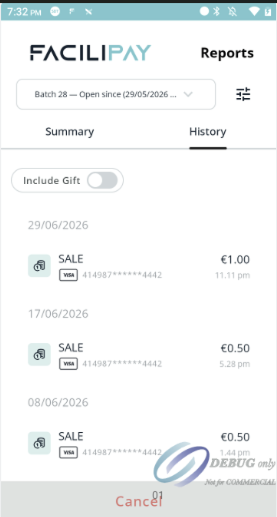
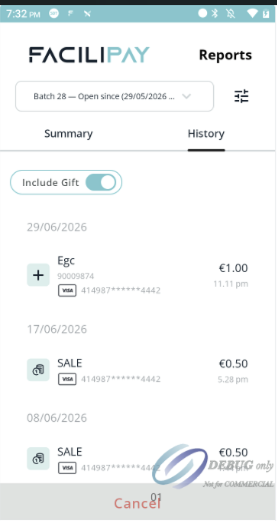
Select the History tab to view individual transactions. The Include Gift toggle also controls whether gift card activity is shown in the transaction history.
When Include Gift is disabled, only standard payment transactions are displayed.
When Include Gift is enabled, gift card activity is included in the transaction history. In this example, the €1.00 transaction is identified as EGC (Electronic Gift Card) rather than a standard SALE, making gift card transactions easy to distinguish from regular payment transactions.
Step 5:
If you print the report, the printed receipt reflects the current state of the Include Gift toggle.
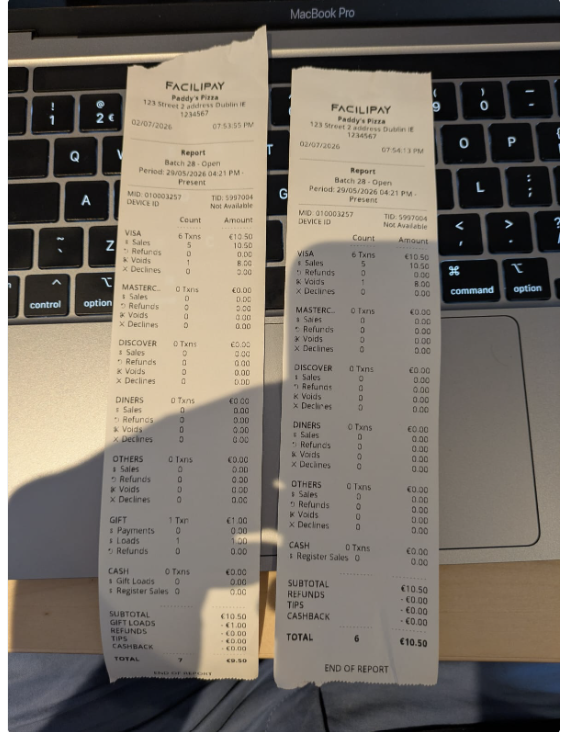
- With Include Gift enabled, the printed report includes a dedicated Gift section showing gift-related activity.
- With Include Gift disabled, the Gift section is omitted, leaving only payment activity on the report.
The Include Gift toggle provides a quick and convenient way to customise your reports, allowing you to include or exclude gift card activity when reviewing reports or printing receipts.