
Before You Begin
- You'll need a web browser and your account credentials.
- Have your debit or credit card details ready.
Step-by-Step: Link a Card
-
Access the Member Portal
Go to member.facilipay.io and sign in to your account. Select the business you want to add funds to. -
Open Add Money
From the business landing page, click Add Money. This page displays your current balance and top-up options.
-
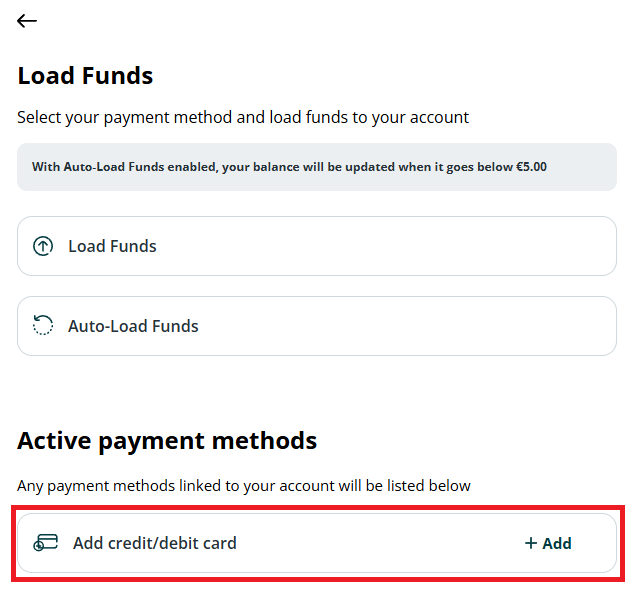
Link a Debit or Credit Card
Scroll to the bottom of the page and select the option to link a Debit / Credit Card. Follow the on-screen prompts to:- Enter your card details
- Complete a secure verification transaction (if required)
Once completed, the card is saved to your account.
What Happens After You Link
Your debit or credit card is linked, enabling faster payments, seamless checkout, and automatic top-ups where activated.
Tips & Best Practices
-
Use a secure browser: Avoid linking cards on public computers.
-
Verify details: Double-check the card number and expiry before submitting.
-
Need help? If you have linking issues, contact support@facilipay.io.