
Before You Begin
- You'll need the LoyLap or Facilipay app, or web access to the member portal.
- For Auto Load, you must have a payment card linked to your account.
Using your app
-
Open your app
Sign in to your account within your app. If you've previously used the app, it defaults to your last selected business. Switch businesses if required.
-
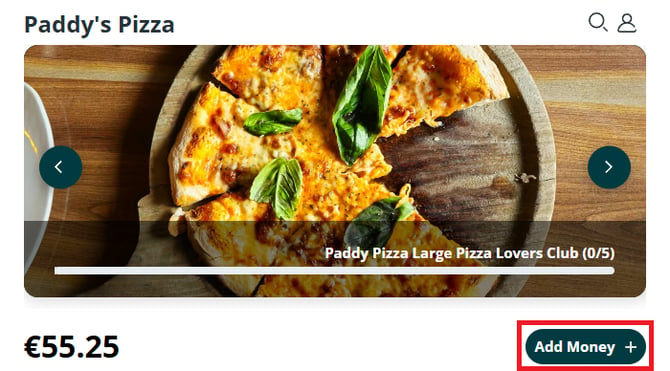
Select Add Money
From the homepage of the selected business, tap Add Money.
-
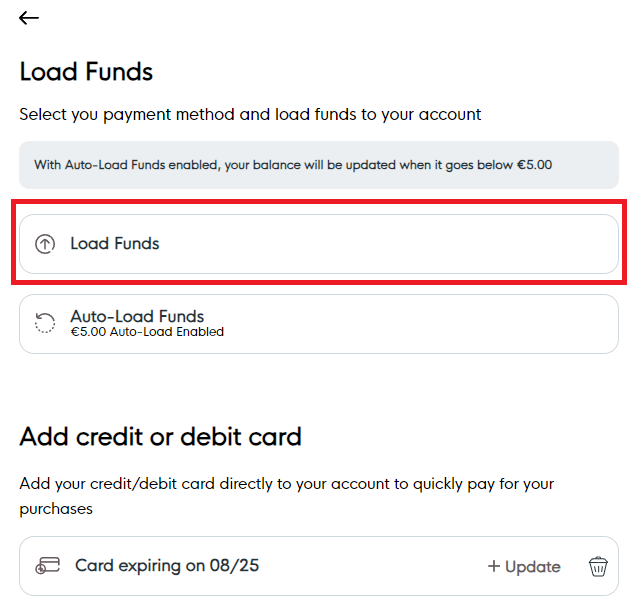
Load Funds (One-Time Top-Up)
Tap Load Funds. Select one of the preset amounts displayed on screen. Once confirmed, you'll be redirected to the secure payment gateway to complete the transaction. After successful payment, the funds are added to your account balance.
-
Enable Auto Load (Optional)
From the Add Money screen, select Auto Load Funds. Choose your preferred top-up amount and enable the toggle to activate automatic loading. When enabled:
Funds automatically load when the account balance falls below €5.00.
A linked payment card is required for Auto Load to function.
After confirming the amount, a prompt displays confirming the Auto Load settings.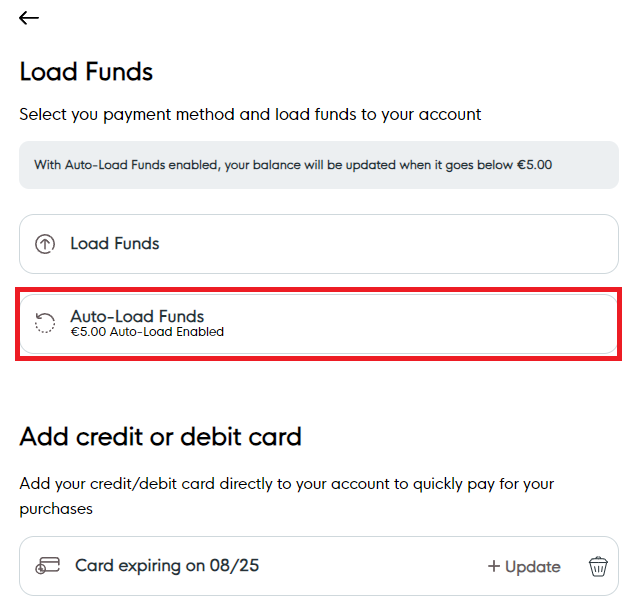
What Happens After You Load
Funds are added to the account either as a one-time payment or automatically when the balance reaches the defined threshold.
Tips & Best Practices
Use Auto Load for convenience: Avoid running out of balance during purchases.
Monitor balance: Check your account regularly to ensure smooth top-ups.