
Before You Begin
- You must be logged into the Facilipay Dashboard with admin access.
- Have the email address ready that you would like to use for backup copies (a shared inbox is often best).
Step-by-Step: Add a Backup Email
-
Open Gift Card Settings
Log in to the Facilipay Dashboard, click Settings, then select Gift Cards. -
Add Your Backup Email
In the Digital Gift Card Backup Emails field, enter the email address you want to receive copies of every sale.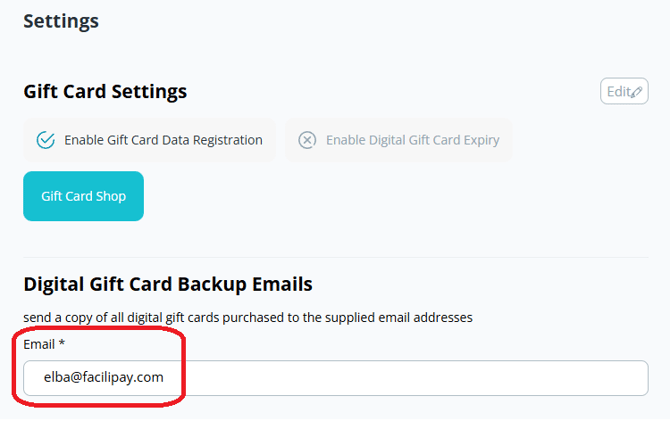
-
Save Your Changes
Save the settings to apply the backup email.
What Happens After You Save
The specified email address will receive a copy of each digital gift card sold from this point forward. You can use these emails as a sales record or to re-send a voucher to a customer if needed.
Tips & Best Practices
-
Use a shared inbox: A shared inbox (e.g. orders@yourbusiness.com) ensures multiple staff members can access copies if needed.
-
Filter your inbox: Set up an email filter or label to keep gift card notifications organised.
-
Update if needed: Return to the same setting any time the backup email needs to change.