
Before You Begin
- You must have access to your PAX device with the Facilipay app installed.
- Decide on the date range and reporting format you want before you start.
Step-by-Step: Run a Report
-
Access Reports
From the PAX home screen, tap Reports. The report for the current date will display automatically.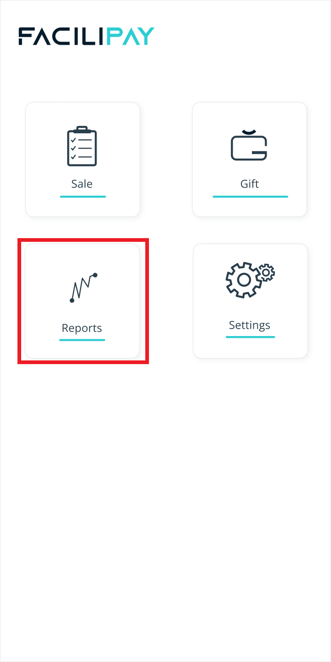
-
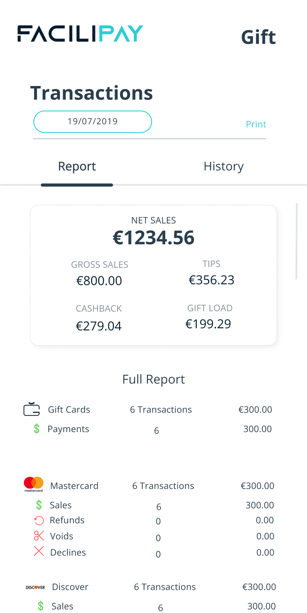
Review the Daily Summary
The default report shows:- Total sales value for the selected date
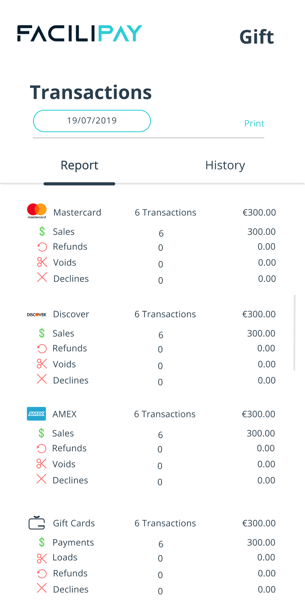
- Breakdown by card type
- Gift Card totals (if applicable)
-
Change the Report Date
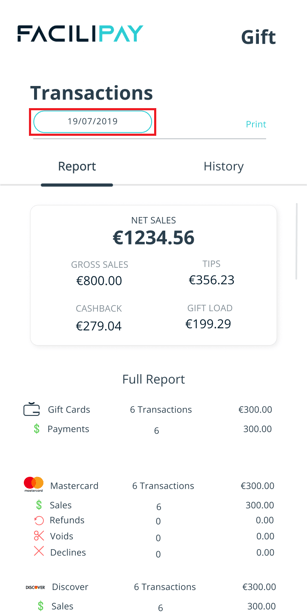
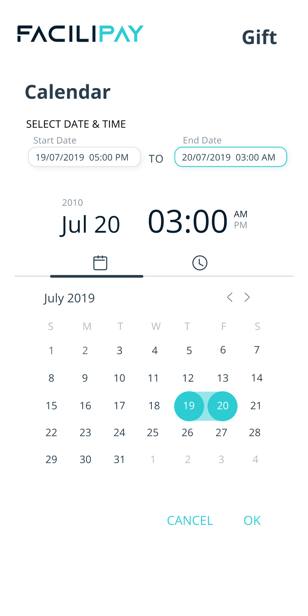
Tap the date in the top-left corner of the screen and select:- The Start Date
- The End Date
You'll then be prompted to enter an End Time. Tap OK to generate the report for the selected period. The updated report will display automatically.
-
Print or Email the Report
To print a copy, tap the Print icon in the top right corner. You'll see the following options:- Summary – high-level totals only
- Details – full transaction breakdown
- Both – combined summary and detailed report
You can also email the report to a specified email address for digital record-keeping. Tap Confirm to complete the print or email action.
What You Can Do With Reports
-
Reconcile daily sales against your accounting records
-
Track performance trends across days, weeks, or months
-
Share figures with your finance or operations team
Tips & Best Practices
-
Run end-of-day reports daily: A daily summary supports accurate reconciliation.
-
Email for the audit trail: Sending the report to a shared inbox creates a useful digital record.
-
Need help? For reporting issues, contact support@facilipay.io.