
Before You Begin
- You must be logged into the Facilipay Dashboard with admin access.
- Decide on the delivery fee amount before configuring.
Step-by-Step: Configure a Delivery Charge
-
Open Branch Settings
From the homepage of your Facilipay Dashboard, click My Business then Branches.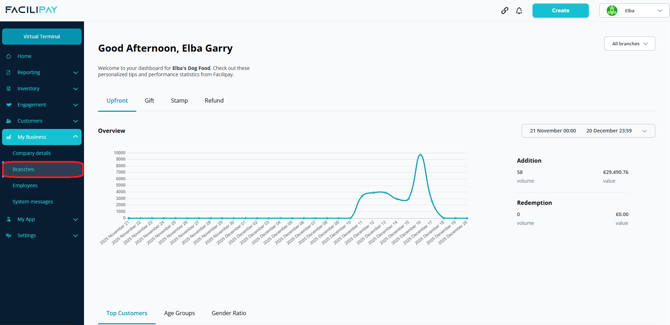
-
Select a Branch
Click the three dots next to the branch you want to add a delivery charge to, then click Details. -
Open Ordering Settings
From the new page, click Ordering in the top menu. -
Edit Delivery Settings
Scroll to the Delivery section, then Edit.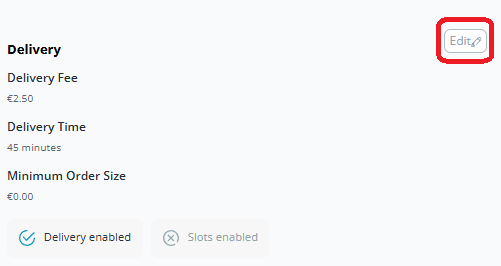
-
Enter the Delivery Fee
From the new box on screen, locate the Delivery Fee field and enter the amount you want to charge. -
Save Your Changes
Click Save.
What Happens After You Save
The delivery fee is now applied to all orders placed using the Delivery dispatch method. Customers see the fee at checkout.
Tips & Best Practices
-
Match fee to cost: Set the fee to genuinely cover delivery costs without putting customers off.
-
Consider waiver thresholds: Combine the fee with a waiver threshold (e.g. free delivery over £50) to drive larger orders.
-
Be transparent: Mention delivery costs on your menu or homepage so customers aren't surprised at checkout.