
Step 1:
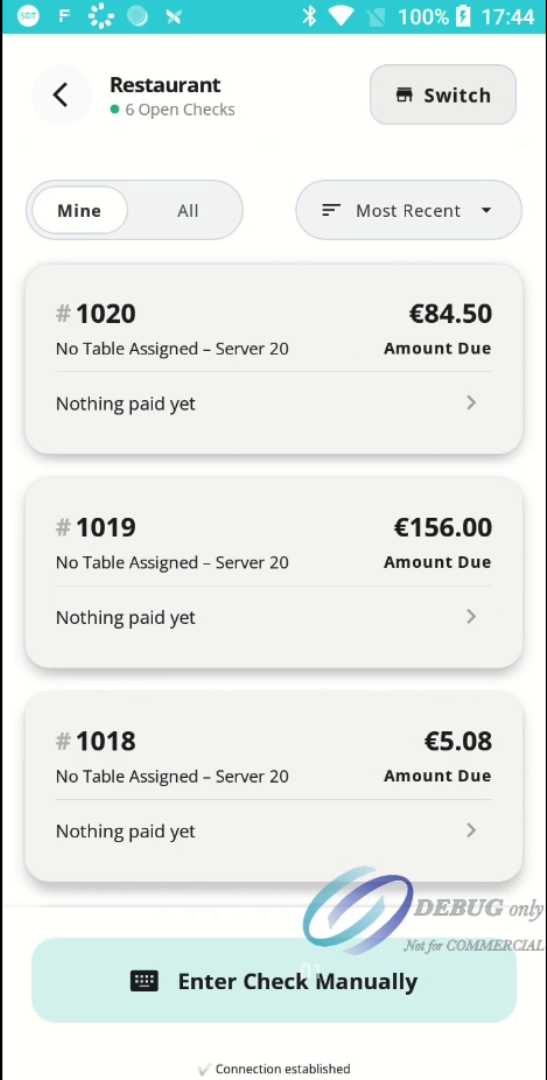
View the summary screen. Here, all open checks are displayed with their check numbers and outstanding balances.
Step 2:
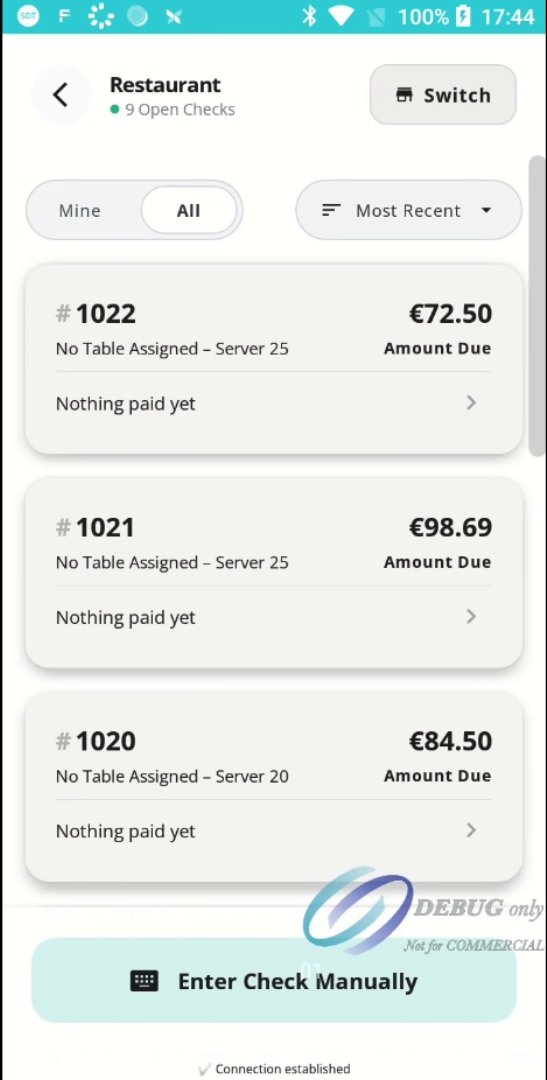
Use the Mine and All filter buttons to control which checks are displayed.
- Mine displays only checks assigned to you.
- All displays every open check.
Step 3:
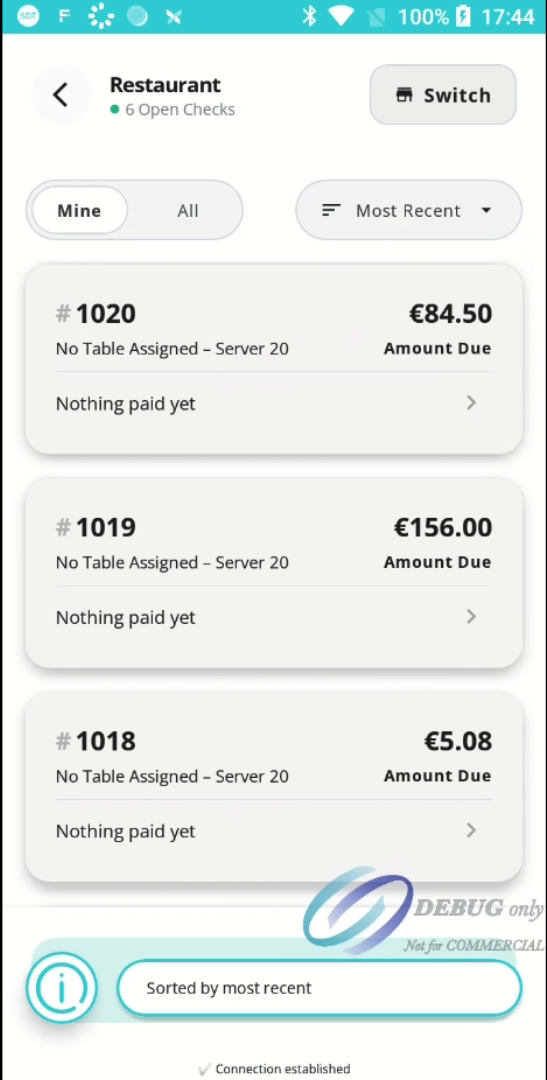
Use the Most Recent filter to sort the list of checks. You can switch between Most Recent and Oldest to quickly locate the check you wish to process.
Step 4:
Scroll through the list of open checks and tap the check you would like to process.
Step 5:
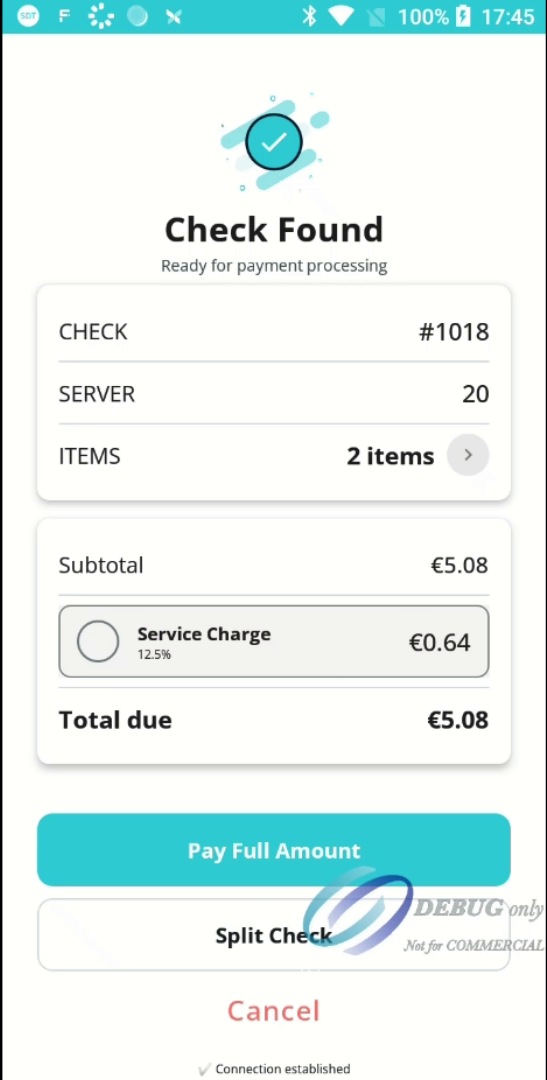
The Check Found screen displays the check details, including the subtotal, any service charge, and the total amount due. Review the bill, then select Pay Full Amount to continue.
Step 6:
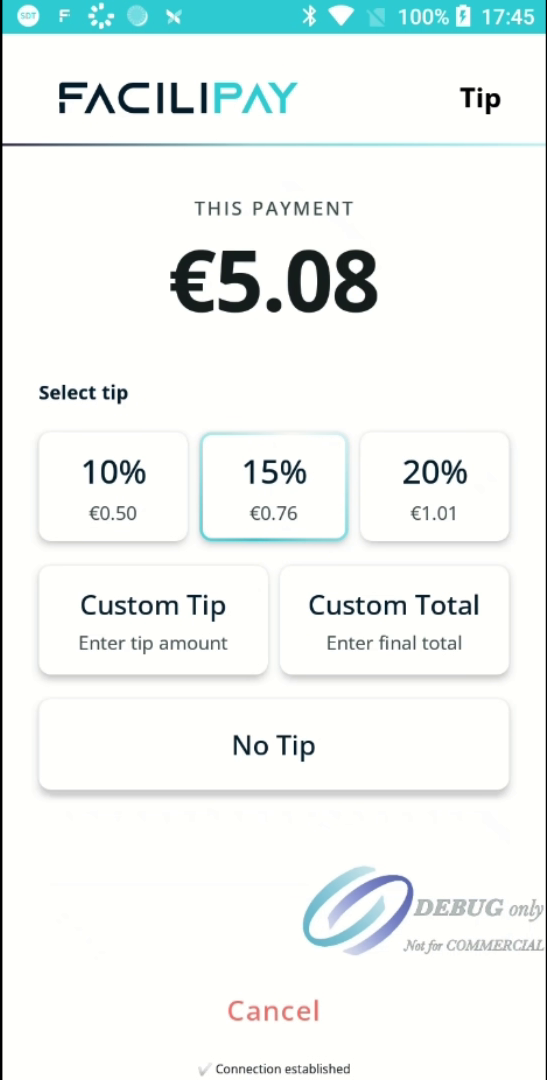
If tipping is enabled, the customer can choose one of the available tipping options:
- Select a preset tip percentage.
- Enter a Custom Tip amount.
- Enter a Custom Total.
- Select No Tip to continue without adding a gratuity.
Once a tip option has been selected, the total payable is updated automatically.
Step 7:
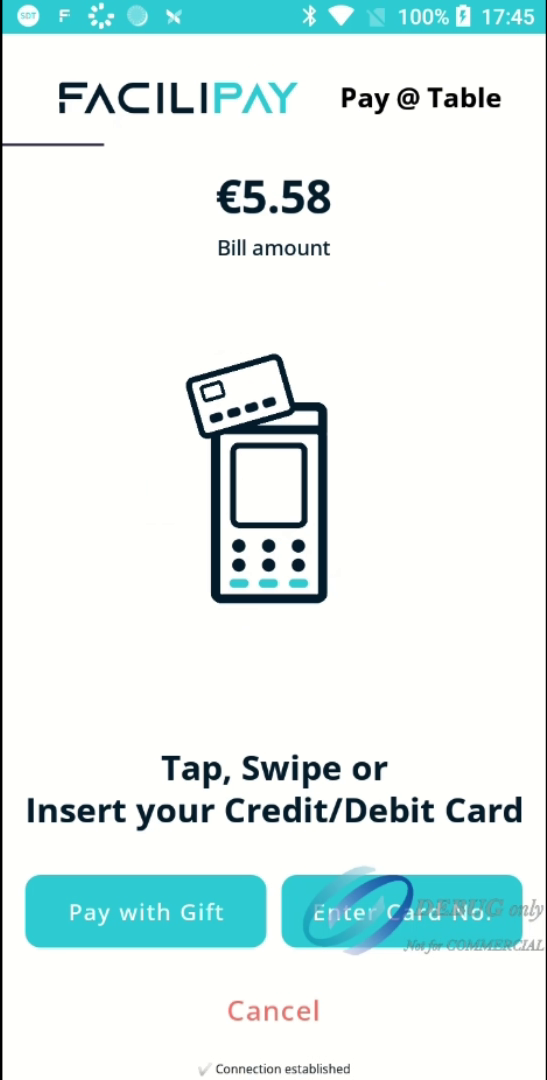
Ask the customer to tap, insert, or swipe their payment card to complete the transaction. The terminal will process the payment while the transaction is authorised.
Step 8:
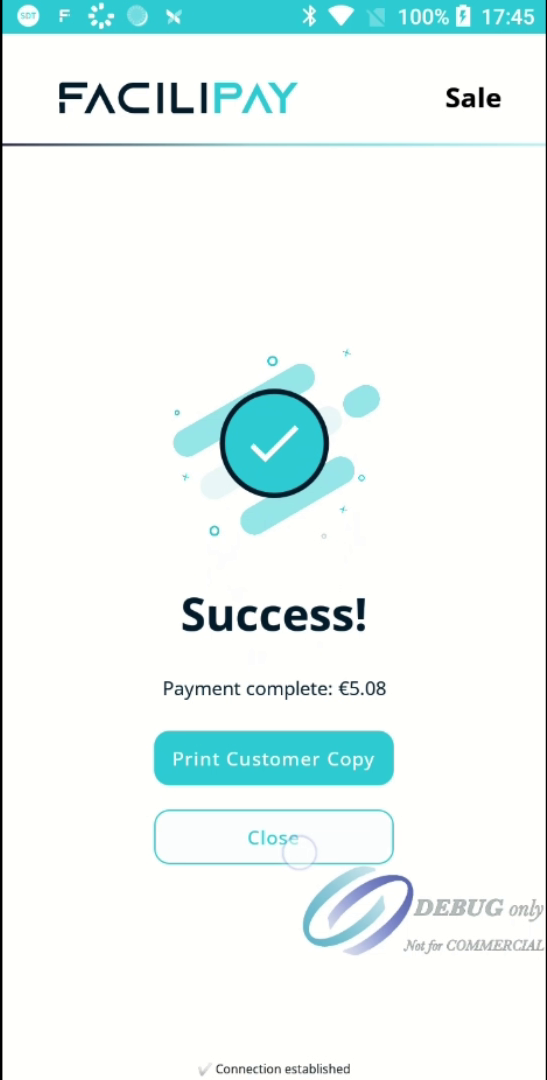
Once the payment has been approved, a Success message will be displayed. You can print a customer copy of the receipt if required or tap Close to return to the main screen.
This workflow enables staff to quickly locate open checks, review the bill, and securely process payments directly at the table. With Pay@Table, guests benefit from a fast and convenient checkout experience without leaving their seats.