
Before You Begin
- Refunds require two conditions to be met before they can be processed (see below).
What You Need to Know
- What a refund is: A refund is a transaction type supported by OPI and OPERA that can be performed at any time to credit funds back to the card holder. The refund amount can differ from the original payment amount.
- Condition 1 — Payment Partner activation: The refund feature needs to be activated by your Payment Service Provider before it can be used.
- Condition 2 — User rights: OPERA users require specific user rights to process negative payments.
How to Process
- Find the Reservation you want to trigger a refund against
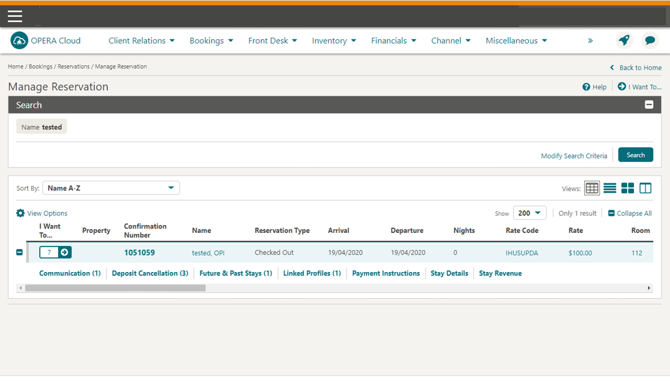
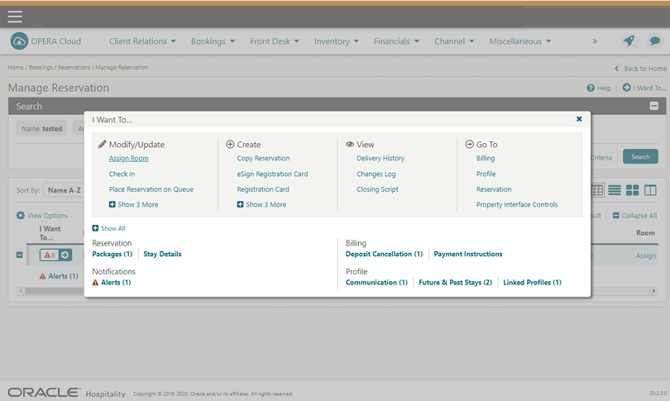
- Select Billing (Located under the Go To options)
- Enter your credentials if requested
-
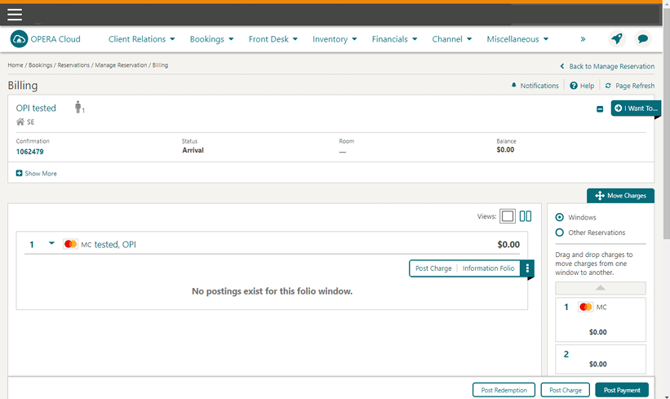
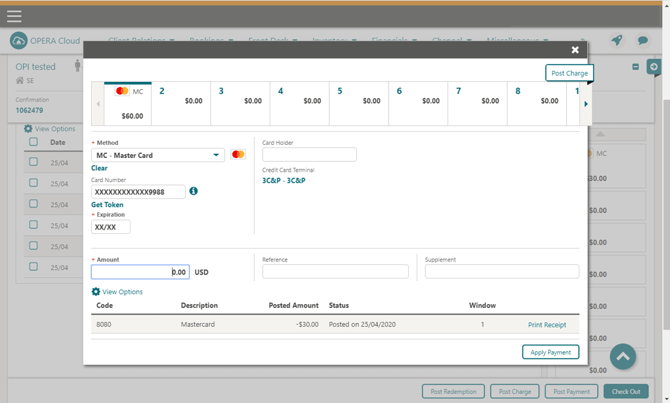
Select Post Payment
-
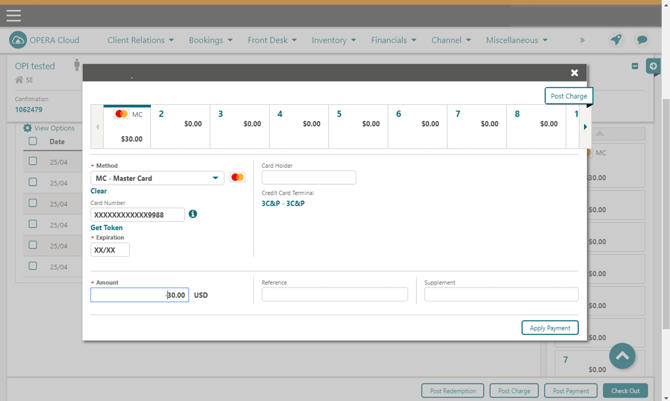
Enter the refund amount, then Apply Payment
Tips & Best Practices
- Check both conditions first: If a refund option isn't available, confirm with your Payment Service Provider that the feature is activated, and check the user's permissions for negative payments.
- Refund amounts are flexible: A refund doesn't have to match the original payment amount exactly — confirm the correct amount with the guest before processing.
- Need help? For refund setup or processing issues, contact your Payment Service Provider.