
Before You Begin
- You must be logged into the Facilipay Dashboard with permission to process transactions.
- Have the customer's account number, name, or email ready before you start.
Step-by-Step: Update an Account Balance
-
Start a Transaction
Log in to the Facilipay Dashboard, click Create in the top right, and select Transaction.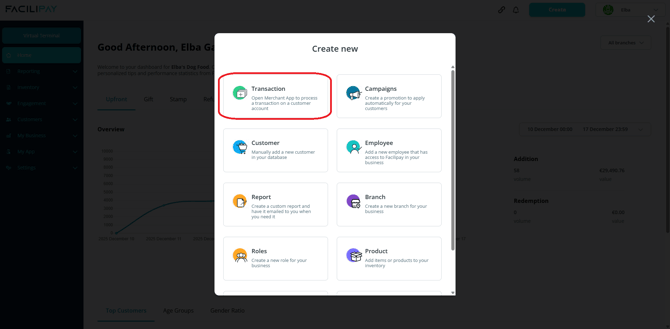
-
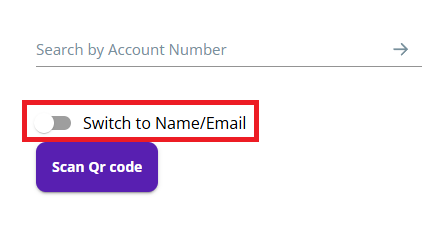
Find the Customer Account
Enter the account number, or use the toggle to search by:- Name
- Email address
Select the correct account from the search results.
-
Choose Transaction Type
Review the account details, including current balance, then select the transaction type you want to apply. -
Enter the Amount
Enter the amount to:- Add to the balance, or
- Redeem from the balance
Review the updated balance shown on screen.
-
Confirm the Transaction
Click Add or Redeem, wait for the confirmation message, then click Finish.
What Happens After You Save
The customer's account balance is updated immediately. The transaction will appear in your transaction reports just like a POS-based transaction.
Tips & Best Practices
-
Verify before confirming: Double-check the account, amount, and transaction type before clicking Add or Redeem.
-
Document non-routine adjustments: Keep an internal log of manual balance updates for audit trails.
-
Need help? If a transaction doesn't process correctly, contact support@facilipay.io.