
Before You Begin
- You must be logged into the Facilipay Dashboard with access to campaign reporting.
- You should have at least one active or completed campaign to review.
Step-by-Step: Review Campaign Performance
-
Open Campaigns
Log in to the Facilipay Dashboard, click Engagement, then select Campaigns. -
Select a Campaign
Find the campaign you want to review and click Stats on the right side.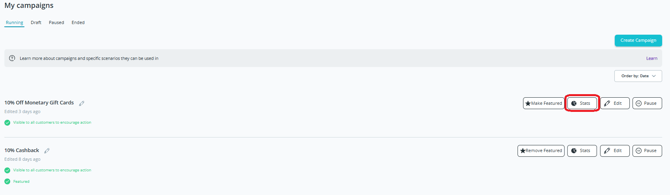
-
Review Key Metrics
The overview page displays the following metrics:- Total Redeems — Number of times the campaign was used
- Customers Affected — Number of unique customers who redeemed the campaign
- Budget Spent — Total discount value applied
- Notification Audience — Number of customers who received the push notification
- Notification Clicks — Number of customers who opened the notification
-
View Transactions
Click Transactions to view all orders where the campaign was redeemed. -
View Ended Campaigns (Optional)
To review past performance, click Ended in the top menu, select an old campaign, then click Stats to view its performance data.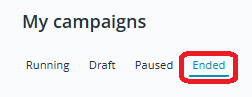
What You Can Do With This Data
-
Compare performance across campaigns to identify what works best for your customers
-
Refine targeting and budget for future campaigns
-
Demonstrate the ROI of marketing efforts to internal stakeholders
Tips & Best Practices
-
Compare like-for-like campaigns: Look at similar campaign types side by side to spot what's truly driving results.
-
Track open rate vs. redemption rate: A high notification click but low redeem rate may indicate the offer needs refining.
-
Iterate: Use insights from completed campaigns to design more effective future ones.